

Connect Datadog
Select your Datadog region, then follow the steps.- US1
- US3
- US5
- EU
- AP1
- US1-FED
Datadog context in Tero
Datadog gives Tero provider context for what you review in Tero:- Issues with evidence from log events, services, volume, cost, and compliance exposure
- Services with ownership and log-volume context
- Log events grouped from Datadog logs
- Cost and Compliance lanes tied to open issues
- Log ingestion analysis for indexed, non-indexed, and migration-candidate volume
- Datadog exclusion filter inventory in the Policies workspace
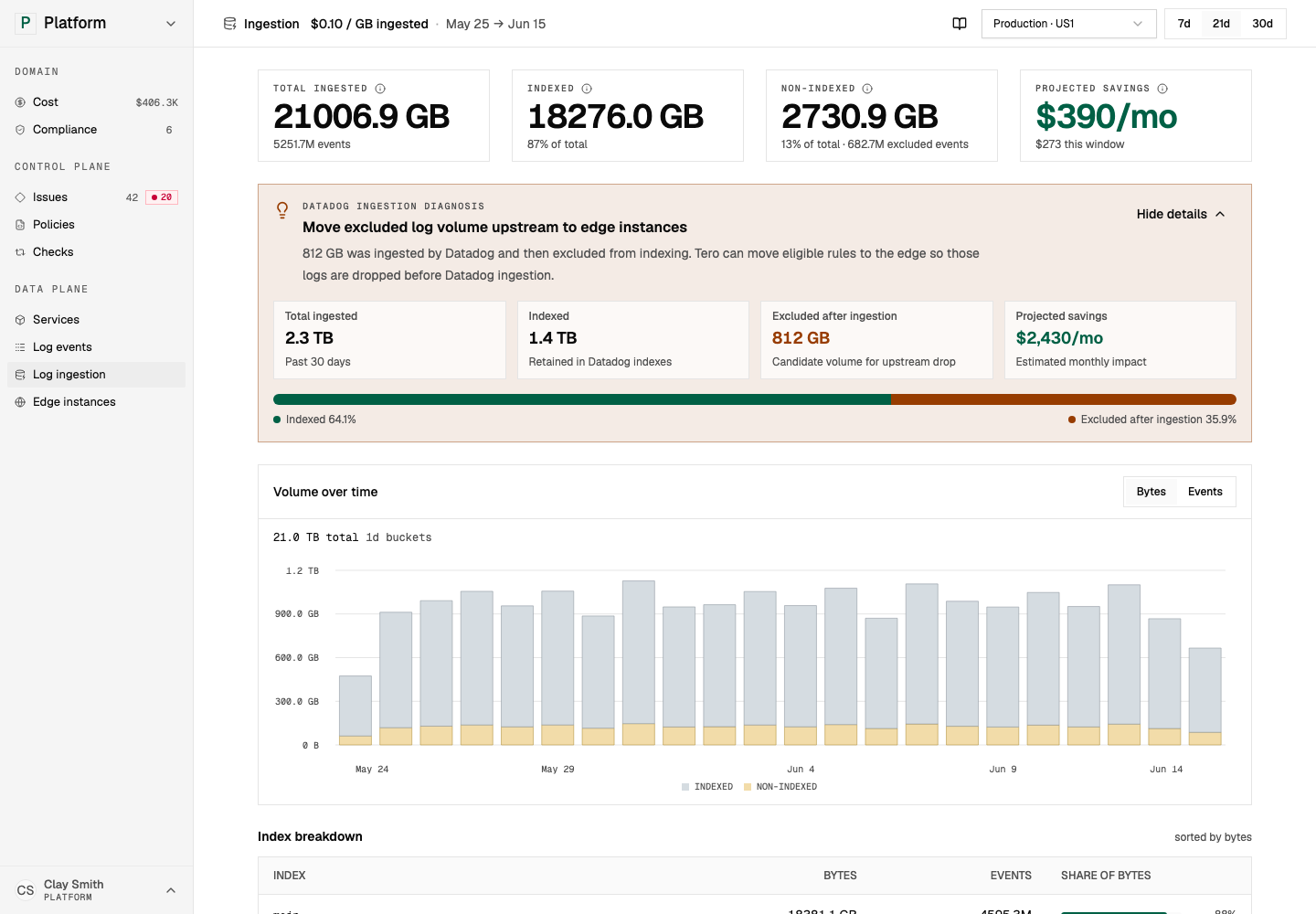
Datadog log ingestion analysis shows where you can move waste upstream with policies. Open in demo
Provider actions
With write access, Tero can manage supported Datadog log controls through the Datadog API. Common actions include:
Provider actions are one way to run a policy. You can also run policies with Edge, deploy the Datadog Edge distribution, or use repository workflows.
Permissions
Datadog has managed roles and custom role permissions. Choose the narrowest role that supports the work you want Tero to do.Custom role permissions
Context (read)
Context (read)
Provider actions (write)
Provider actions (write)
Scope access to services
Use Datadog restriction queries when you want Tero to read logs for specific services.
Attach the restriction query to the role used by Tero.